Access Control Comparison – RFID, QR Code, or Smartphone?
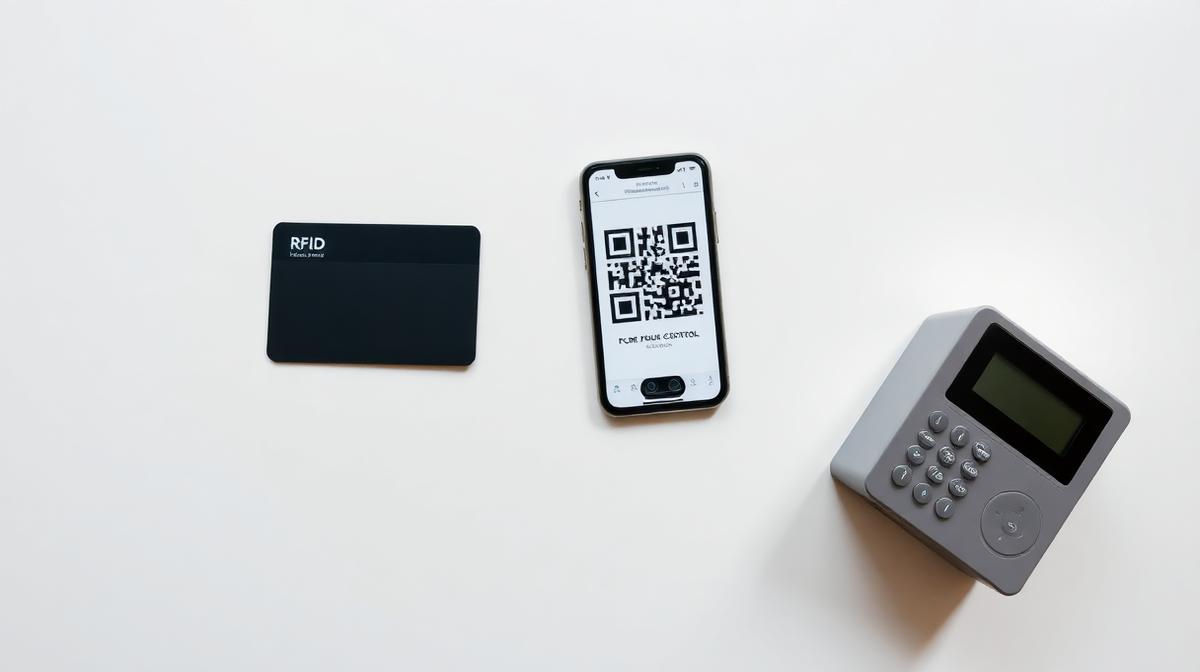
You need an access system – but which one? RFID technology, smartphone access, QR codes, or a classic PIN? Each method has its strengths and weaknesses. This comparison helps you make the right decision for your use case.
Overview: What Access Methods Are Available?
When looking into the fundamentals of access control, you'll quickly come across three common methods:
- RFID card / transponder – the physical medium
- Smartphone & QR code – the digital way
- PIN code – the simplest solution
All three can be managed with a modern cloud platform. But depending on the use case, one may be better suited than the other.
RFID Card – Advantages and Limitations
RFID cards (or transponders) are the classic among access systems. The user holds the card to a reader – and the door opens.
Advantages
- Proven and reliable: Works independently of smartphone or battery level.
- Fast and simple: Hold up the card – done. No unlocking, no scanning required.
- Great for permanent teams: Ideal when employees enter the same building daily.
Limitations
- Card loss: Lost cards must be blocked and replaced – costing time and money.
- No remote assignment: The card must be physically handed over. Impractical for visitors or service providers.
- Additional costs: Each new card costs money – adds up with high turnover.
Smartphone & QR Code – The Most Flexible Way
The user receives digital access directly on their smartphone – as a QR code via email, SMS, or web link. On-site, the code is scanned or the smartphone held to the reader.
Advantages
- Remote assignment: Access can be sent remotely – ideal for guests, suppliers, or tradespeople.
- No physical medium: No cards to produce, distribute, or track.
- Time-limitable: Codes only valid for a defined time window – then automatically blocked.
- Scalable: Whether 10 or 10,000 users – assignment works digitally in seconds.
Limitations
- Battery dependency: The user needs a charged smartphone.
- Technical barrier: For some user groups (e.g., elderly), digital handling can be a hurdle.
PIN Code – Simple but Limited
A PIN code is entered via a keypad at the access point. No medium, no smartphone – just a number combination.
Advantages
- No medium needed: Neither card nor smartphone required.
- Easy assignment: Share PIN via phone, email, or SMS – done.
- Cheap: No hardware costs per user.
Limitations
- Sharing risk: PINs can easily be shared with third parties.
- Limited logging: Who used the PIN cannot be attributed to a specific person.
- Shoulder surfing: The code can be observed while being entered.
Which Method Fits Which Use Case?
| Criterion | RFID Card | Smartphone / QR | PIN Code |
|---|---|---|---|
| Security | High | High | Medium |
| Flexibility | Medium | Very high | Medium |
| Remote assignment | No | Yes | Yes |
| Physical medium needed | Yes | No | No |
| Cost per user | Low (card) | None | None |
| Time limitation | Complex | Easy | Easy |
| Logging | Yes | Yes | Limited |
💡 Our Recommendation by Scenario
- Office & business: RFID for permanent staff + smartphone/QR for visitors and service providers.
- Gym & sports facility: RFID wristband or card for members + QR code for trial sessions and day passes.
- Hotel & vacation rental: Smartphone/QR code as primary access + PIN as backup.
- Municipal facilities: Combination of RFID (regular users) and time-limited QR code (clubs, events).
Discover how TIKI SHARE combines all methods in one platform: modern access control.
Access control does not stop at the door – lockers can be controlled digitally too. Read more in our article on the smart locker.
Conclusion
There is no single perfect access method – but there is the perfect system that flexibly combines multiple methods. That's exactly the advantage of a modular platform: you choose the right medium for each use case and manage everything centrally via one dashboard.
The best access control is the one that adapts to your operation – not the other way around.